
Tool runner
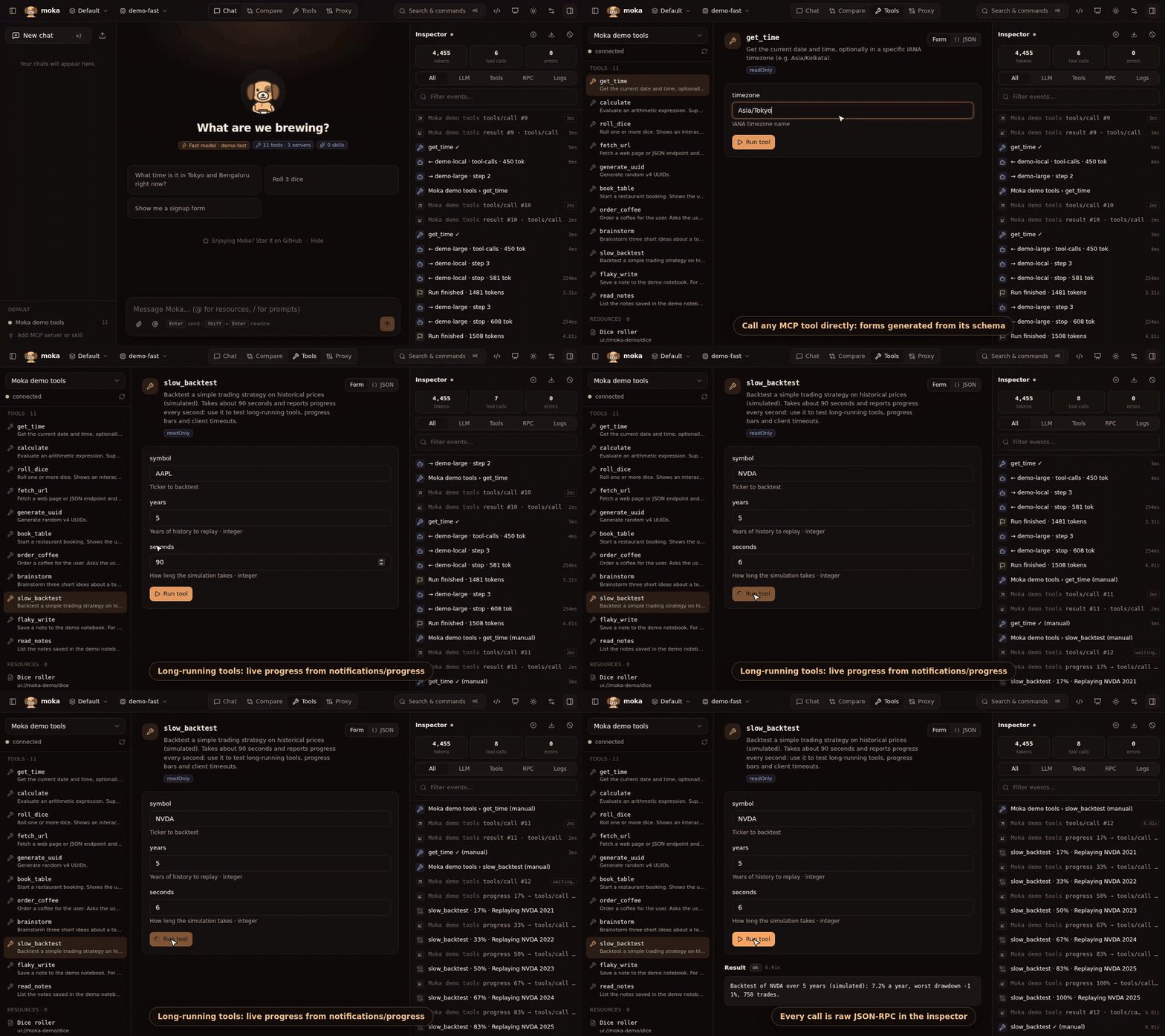
The Tools view is a manual MCP client:
- Tools — Moka generates a form from each tool’s JSON Schema (text, numbers, booleans, enums; JSON for objects and arrays). Switch to JSON to edit raw arguments. Run tool shows text, images, structured content and errors, with timing. Tools with an MCP App render their UI here too.
- Resources — click to read a resource and see its contents. If the server supports subscriptions, Watch subscribes (
resources/subscribe): everynotifications/resources/updatedre-reads the resource and highlights the change. Watched resources get an 👁 in the list, and subscriptions survive reconnects until you unwatch. - Resource templates — parameterised resources such as
file:///{+path}(resources/templates/list). Fill in the variables, check the expanded URI, then Read resource, or Open (and watch) it. RFC 6570 expressions ({x},{+x},{/x},{?a,b}, …) are supported. - Prompts — fill in arguments, click Get prompt, and Send to chat to use the result as a message.
Tool annotations (readOnly, destructive, openWorld, …) are shown as badges. Manual calls are logged in the inspector as (manual).
Moka also follows notifications/tools/list_changed, prompts/list_changed and resources/list_changed, so lists refresh without reconnecting. Try it with the demo server’s Live brew status resource, which changes every 3 seconds, and the Coffee drinks template.
This is the fastest loop when you’re developing an MCP server: edit, reconnect (↻ next to the server), run.