
Speech to text
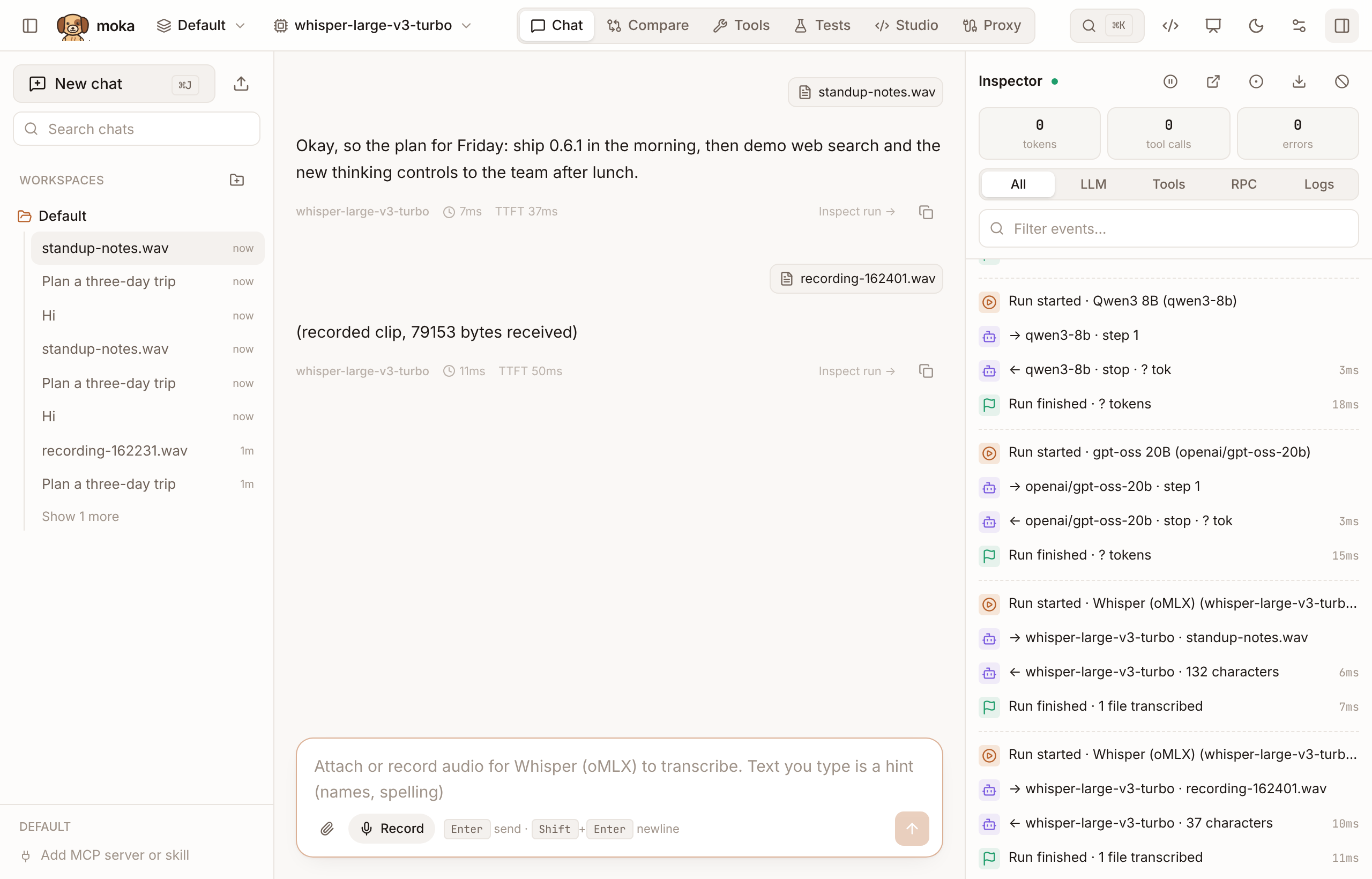
Pick a speech-to-text model (Whisper, Parakeet…) and the chat becomes a transcriber. Attach an audio file, or press Record and talk. The reply is the text.
Add the model
Section titled “Add the model”Add it like any model, in Settings → Models, from a server with an OpenAI-style /v1/audio/transcriptions endpoint:
| Server | Provider | Base URL |
|---|---|---|
| OpenAI | OpenAI | (default) · whisper-1, gpt-4o-transcribe |
| Groq | OpenAI-compatible | https://api.groq.com/openai/v1 · whisper-large-v3-turbo |
| oMLX, LocalAI, Speaches, whisper.cpp server | OpenAI-compatible | Your server, e.g. http://localhost:8000/v1 |
Moka sees from the name that it’s a speech-to-text model (whisper, parakeet, transcribe, canary, moonshine…). For another name, set Type to Transcription, or "kind": "transcription" in moka.json. Test sends half a second of silence to check the endpoint answers.
In the chat
Section titled “In the chat”With a speech-to-text model, the chat input changes:
- The paperclip only takes audio: WAV, MP3, M4A, OGG, Opus, FLAC, WebM or AAC, up to 25 MB. Other files are refused with a note.
- Record captures from the microphone and attaches a 16 kHz mono WAV, which every server reads. The browser asks for the microphone once; it needs
localhostor https. - Text you type goes along as the
prompt: names and words the model should spell your way. - Web search, thinking,
@resources and/prompts are hidden: a transcription model can’t use them.
Several files in one message are transcribed one after another, each under its name. The inspector shows each request (file, size, prompt) and the text that came back.