
Web search
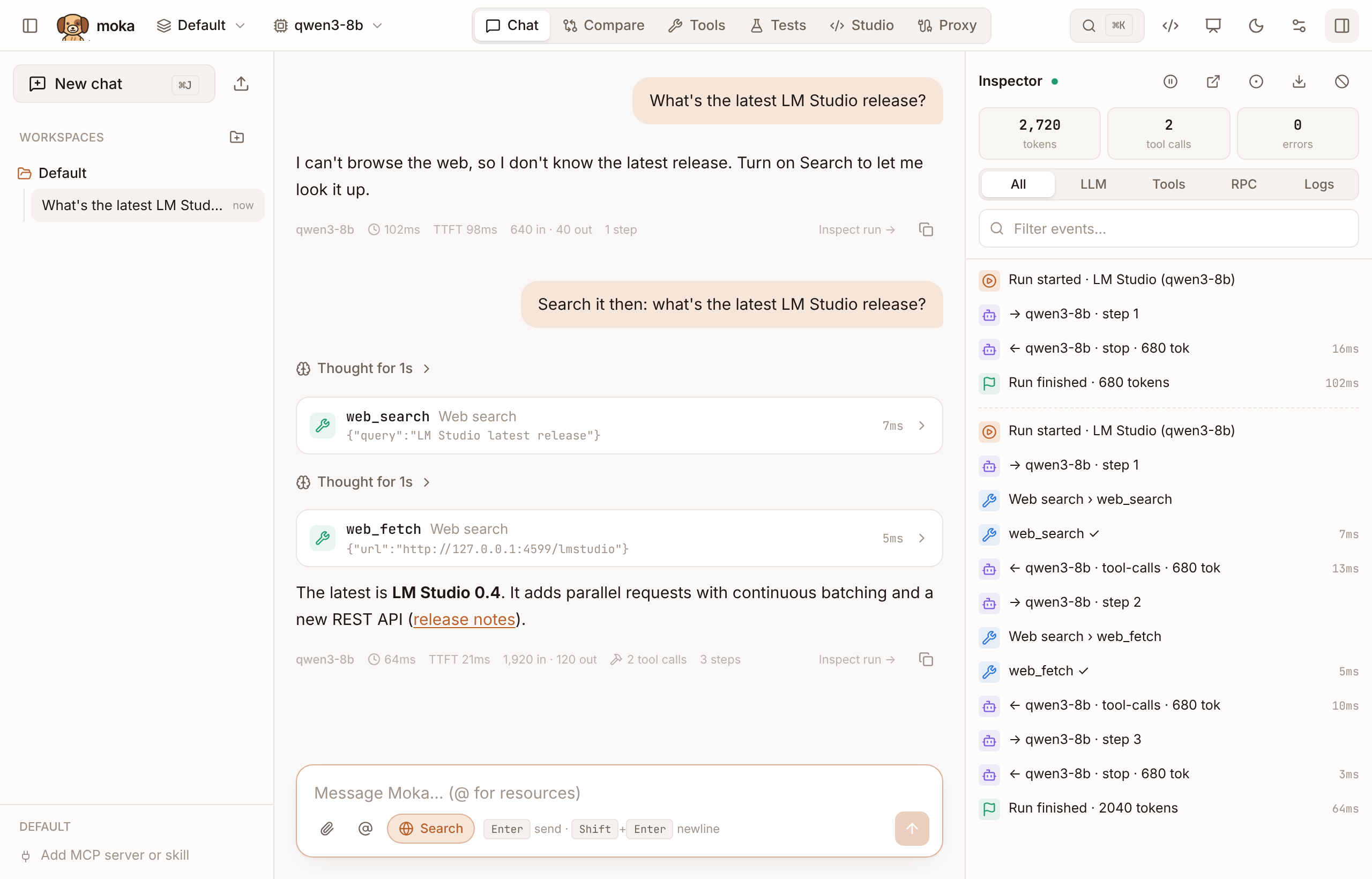
Turn on Search in the chat input and the model can look things up. Moka adds two tools for that message:
web_searchreturns the top results: title, link and snippet.web_fetchreads a page as text, without scripts, styles or navigation. Long pages are cut at 20,000 characters.
The first time you click it, Moka asks which provider to search with. Change it any time from the arrow next to the button. The button stays on until you turn it off, in every chat. It works with any model that can call tools, local ones too, and with no MCP server. When it’s on, the model is told today’s date and asked to cite the pages it used.
Both tools show in the chat and the inspector like any other, under Web search.
Providers
Section titled “Providers”Choose one from the arrow next to Search, in Settings → Config file → Web search, or in moka.json:
| Provider | Needs | Notes |
|---|---|---|
| SearXNG | url | Your own instance: local, free, no key. Turn on the JSON format in its settings.yml (below) |
| Tavily | apiKey | Search made for agents, with longer snippets. Has a free monthly allowance |
| Brave Search | apiKey | Key from the Brave Search API dashboard |
| DuckDuckGo | Nothing | DuckDuckGo has no API, and it often answers scripts with a captcha. When it does, the chat says so and offers to switch |
To run SearXNG locally with JSON on:
mkdir -p ~/searxng && printf 'use_default_settings: true\nserver:\n secret_key: "change-me"\nsearch:\n formats: [html, json]\n' > ~/searxng/settings.ymldocker run -d --name searxng -p 8080:8080 -v ~/searxng:/etc/searxng searxng/searxngThen choose SearXNG with http://localhost:8080.
{ "webSearch": { "provider": "brave", "apiKey": "env:BRAVE_API_KEY", "maxResults": 5 }}Use env:VAR_NAME for keys, so the file is safe to commit. Download (keys redacted) replaces a literal key with <set-me>.
Where it doesn’t apply
Section titled “Where it doesn’t apply”- Remote agents bring their own tools, so the button is hidden for them.
- Tool tests and Improve never search: their runs should only use your servers’ tools.
- Compare uses the button’s setting for every model in the comparison.